Notion AI से MCQ बनाना सुनने में आसान लगता है, लेकिन एक अहम बात अक्सर ध्यान नहीं दी जाती — Notion AI फ्री नहीं है। Free plan में आपको सिर्फ 20 AI responses मिलते हैं, और एक बार ये खत्म हो गए तो बस खत्म। पूरा AI access पाने के लिए Business plan लेना पड़ता है, जिसकी कीमत $20 per month (लगभग ₹1,660 प्रति माह) है।
तो क्या यह article यहीं खत्म होना चाहिए? बिल्कुल नहीं। इस guide में आपको दो काम की चीज़ें मिलेंगी — पहला, Notion AI से MCQ कैसे बनाएं with answers का पूरा honest step-by-step तरीका। दूसरा, तीन ऐसे free alternatives जो students और teachers दोनों के लिए equally powerful हैं।
CBSE, UP Board और RBSE Class 10-12 के specific examples के साथ, verified prompt templates के साथ — सब कुछ practical और सच्चा।
⚡ Quick Answer – Notion AI Se MCQ Kaise Banaye With Answers
Notion AI से MCQ with answers बनाने का सबसे आसान तरीका:
- Notion खोलें → नया page बनाएं → Spacebar दबाएं → AI prompt box खुलेगा
- Prompt लिखें: “Class 10 Science Chapter: प्रकाश से 20 MCQ बनाओ, 4 options के साथ, सही answer bold करो, हिंदी में।”
- ⚠️ Important: Free plan में सिर्फ 20 total responses — उसके बाद paid plan ज़रूरी
- Free alternative चाहिए? ChatGPT (free tier) same काम बिना किसी cost के करता है
Notion AI क्या है और MCQ Generation के लिए कैसे काम करता है?
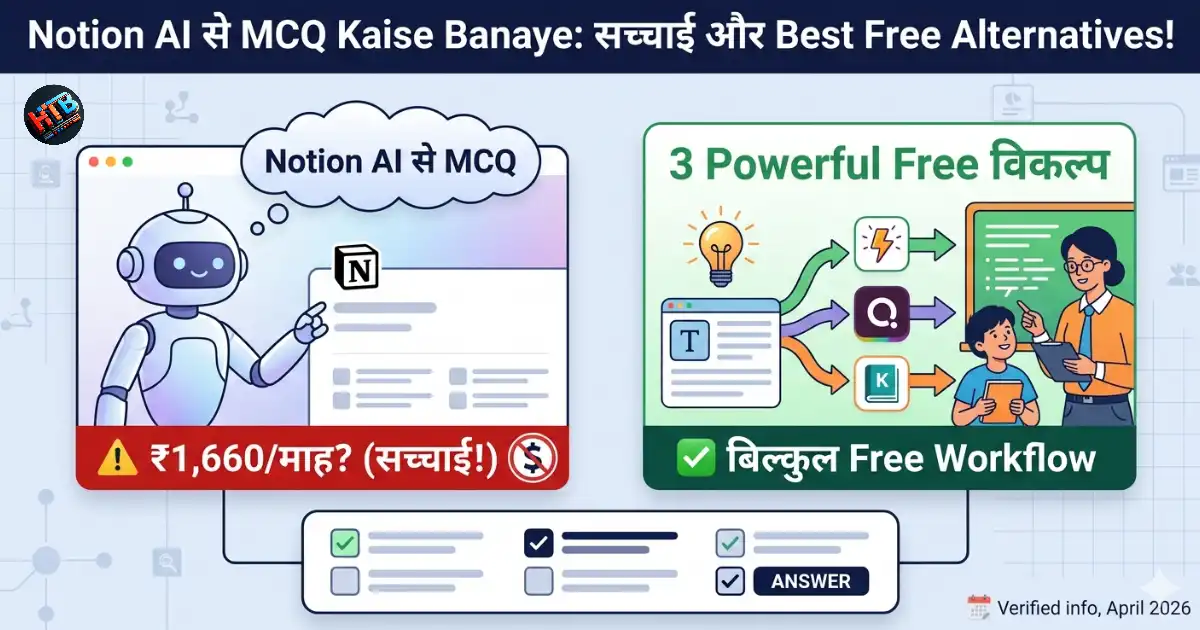
ChatGPT, Quizizz aur Knowt. Verified: April 2026.
Notion एक popular workspace tool है जिसमें notes, databases, projects — सब कुछ एक जगह manage होता है। Notion AI इसी workspace के अंदर built-in AI assistant है जो text generate करने, summarize करने और questions बनाने जैसे काम कर सकता है।
MCQ generation के लिए यह NLP (Natural Language Processing) use करता है — आप topic देते हैं और AI उसे समझकर structured MCQ (multiple choice questions) with answers automatically बना देता है। Interface simple है, coding की ज़रूरत नहीं, और output directly Notion page में आता है जिसे PDF export किया जा सकता है।
लेकिन इसे use करने से पहले pricing की सच्चाई जानना ज़रूरी है — क्योंकि यहीं ज़्यादातर लोग confused होते हैं।
Notion AI की Pricing — साफ़ और सच्ची जानकारी
April 2026 तक की latest verified जानकारी के अनुसार, Notion AI के plans कुछ इस तरह हैं:
💰 Notion Pricing — April 2026
| Plan | Monthly Cost | AI Access | Students के लिए? |
|---|---|---|---|
| Free | ₹0 | सिर्फ 20 total responses (one-time) | ⚠️ बहुत limited |
| Plus | ~₹830/माह | सिर्फ 20 total responses (one-time) | ❌ AI के लिए नहीं |
| Business | ~₹1,660/माह | Full AI access (unlimited) | 💡 Teachers के लिए ठीक |
ⓘ May 2025 से Notion ने separate AI add-on बंद कर दिया है। अब full AI केवल Business plan में मिलता है। Education email (.edu) से Plus plan free मिल सकता है, लेकिन AI responses वहाँ भी 20 total ही हैं।
अगर आप Free plan पर Notion AI से MCQ test बनाना शुरू करते हैं — मान लीजिए आपने 4-5 prompts दिए — तो आपके 20 responses जल्दी खत्म हो जाएंगे। उसके बाद AI features तब तक बंद रहेंगे जब तक आप Business plan नहीं लेते। इसलिए Free Notion AI को एक limited trial समझें, regular tool नहीं।
Notion AI से MCQ with Answers कैसे बनाएं — Step by Step
अगर आपके पास Notion का access है और आप उन 20 responses का सही use करना चाहते हैं, तो यह process follow करें। हर step में board exam के real examples दिए हैं।
Step 1: Notion Account खोलें और नया Page बनाएं
notion.so पर जाएं और login करें। Left sidebar में “+ New page” पर click करें। Page का title दे सकते हैं जैसे “Class 10 Science MCQ Bank”। यह सब free है — AI use होने पर ही response count होता है।
Step 2: AI Prompt Box खोलें
Page के अंदर, empty area में cursor रखें और Spacebar दबाएं। एक AI prompt box खुलेगा। यहाँ से पूरा MCQ generation होगा। अगर Spacebar काम नहीं करे तो “/” type करें और “Ask AI” select करें।
Step 3: Perfect Prompt लिखें — यही सबसे Important Step है
Prompt जितना specific होगा, MCQ उतना ही better आएगा। नीचे board exam के लिए tested prompt templates देखें:
Class 10 Science Chapter: प्रकाश — Reflection and Refraction
से 20 MCQ बनाओ। हर question में 4 options हों।
सही answer को bold करो। Difficulty medium रखो।
हिंदी में लिखो।
Class 12 Biology: मानव जनन (Human Reproduction) से 25 MCQ बनाओ, 4 options के साथ।
Answer key अलग section में दो।
CBSE board pattern follow करो। हिंदी में।
UP Board Class 10 Hindi: Godan summary से
15 MCQ बनाओ। Answers के साथ 1-line explanation भी दो।
Easy to medium difficulty।
Step 4: Output Review और Edit करें
AI ने जो MCQs दिए हैं, उन्हें ध्यान से पढ़ें। Dates, numbers, और specific facts को manually verify करें। अगर कोई question unclear है तो directly Notion page में edit कर सकते हैं।
Step 5: PDF Export करें
Page को share करने के लिए: ऊपर “…” (three dots) menu → “Export” → “PDF” select करें। यह feature free plan में भी available है। Teachers इसे print करके test paper बना सकते हैं।
📚 Real Example: Class 10 Science Chapter MCQ
Situation: आयुषी को Physics Chapter “Electricity” से 15 MCQ चाहिए थे CBSE revision के लिए।
Prompt: “Class 10 CBSE Physics — Electricity chapter से 15 MCQ बनाओ। 4 options हों, सही answer mention करो, difficulty medium रखो। हिंदी में।”
Result: Notion AI ने 15 well-structured MCQs दिए — लेकिन आयुषी ने notice किया कि 2 questions में Ohm’s Law की value गलत थी। Manual verification के बाद उसने correct किया। Final test paper 10 minutes में तैयार।
Notion AI की असली सच्चाई — Honest Review
Notion AI MCQ generation के लिए काम करता है — लेकिन यह सबके लिए practical नहीं है। यहाँ balanced view दे रहा हूँ:
✅ फायदे
- Workspace के अंदर directly MCQ बनते हैं — अलग tool नहीं खोलना पड़ता है
- Notes से MCQ generate करना बहुत आसान है
- PDF export built-in है
- Table format में organized output मिलता है
- Multiple subjects और languages support करता है
⚠️ सीमाएं
- Free plan में सिर्फ 20 total AI responses — बहुत कम
- Full AI के लिए ~₹1,660/माह — students के बजट से बाहर
- Hindi output quality inconsistent हो सकती है
- Dates, numbers में factual errors possible
- Internet connection ज़रूरी — offline नहीं
3 Best Free Alternatives — Notion AI की जगह ये Use करें
अगर Notion AI आपके budget में नहीं है — जो ज़्यादातर students के लिए सच है — तो ये तीन alternatives genuinely powerful हैं। इनसे भी notion ai se mcq kaise banaye with answers जैसे ही results आते हैं, बस platform अलग होता है।
1. ChatGPT — सबसे अच्छा Free Option
ChatGPT का free tier (GPT-4o mini) MCQ generation के लिए excellent है। Hindi में भी बहुत अच्छा काम करता है और CBSE board के patterns को समझता है। AI tools से notes बनाने की guide में भी ChatGPT को primary tool recommend किया है — MCQ generation के लिए भी यही logic applies करता है।
🎯 ChatGPT से MCQ बनाने का Workflow
- chat.openai.com खोलें → free account से login करें
- Specific prompt लिखें (नीचे templates देखें)
- Output copy करें → Google Forms या Word में paste करें
- Manual fact-check करें → share करें
📝 ChatGPT Board Exam Prompt Templates
Template 1: “RBSE Class 10 Science — Chapter: Carbon and its Compounds से 20 MCQ बनाओ। 4 options के साथ, सही answer bold करो। Hindi में। Medium difficulty।”
Template 2: “Class 12 CBSE Chemistry: Electrochemistry से 25 MCQs with answers और हर answer के बाद 1-line explanation। Table format में। Hindi-English mix।”
Template 3: “UP Board Class 12 History — Mughal Empire से 20 GK MCQ, 4 options, sahi answer mark karo, Hindi mein। Easy to medium।”
2. Quizizz — Interactive Quiz के लिए Best
Quizizz एक gamified quiz platform है जहाँ students game की तरह MCQ solve करते हैं। Teachers के लिए यह particularly useful है क्योंकि real-time leaderboard और automatic scoring होती है। Free plan में भी AI question suggestion feature available है।
कैसे use करें: quizizz.com पर account बनाएं → “Create” → topic type करें → AI automatically MCQ suggest करता है → approve और launch करें। Students link से directly test दे सकते हैं।
3. Knowt — PDF से MCQ के लिए Best
अगर आपके पास handwritten notes की PDF है या NCERT chapters हैं, तो Knowt सबसे useful tool है। PDF upload करो, AI खुद content पढ़ता है और automatically MCQ generate कर देता है। Free plan में यह feature available है।
कैसे use करें: knowt.com पर जाएं → “Import” → PDF upload करें → “Generate Practice Questions” → MCQs automatically आ जाएंगे। Review करें और export करें।
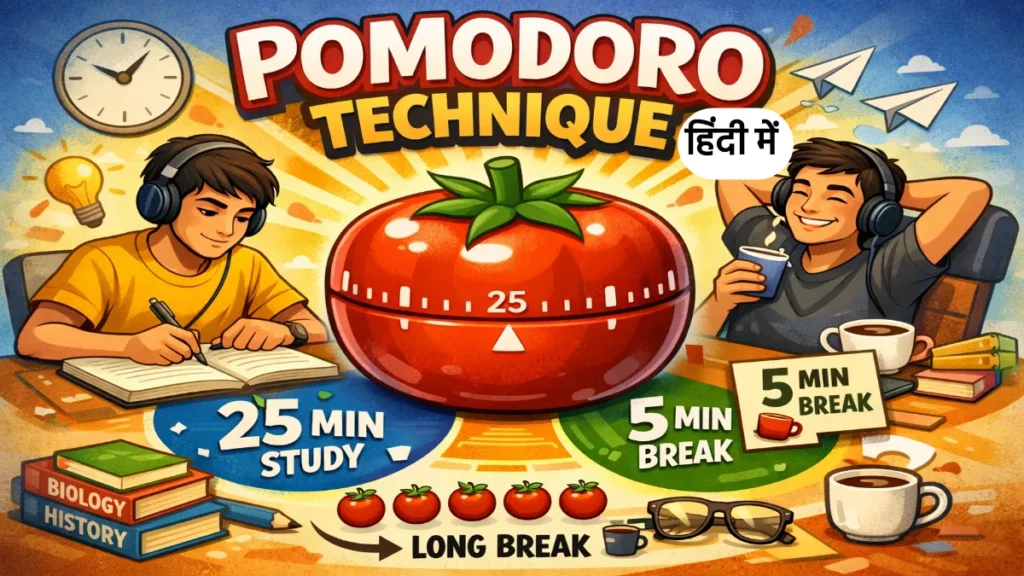
Study sessions को focused रखने के लिए MCQ practice के बाद हमारा Free Pomodoro Timer use करें — 25 minutes focused revision, 5 minutes break।
Notion AI vs Free Alternatives — Detailed Comparison
| Feature | Notion AI | ChatGPT | Quizizz | Knowt |
|---|---|---|---|---|
| Cost | ₹1,660/माह (full AI) | Free (basic tier) | Free plan available | Free plan available |
| Hindi Support | ⚠️ Basic | ✅ Excellent | ⚠️ Limited | ❌ Weak |
| PDF से MCQ | ✅ हाँ | ⚠️ Manual paste | ❌ नहीं | ✅ Direct upload |
| Answer Key | ✅ हाँ | ✅ हाँ | ✅ Auto scoring | ✅ हाँ |
| Board Exam Prompts | ✅ हाँ | ✅ Best | ⚠️ Generic | ⚠️ Content-based |
| Interactive Quiz | ❌ नहीं | ❌ नहीं | ✅ Gamified | ❌ नहीं |
| PDF Export | ✅ हाँ | ⚠️ Copy-paste | ✅ हाँ | ✅ हाँ |
| Fact Accuracy | ⚠️ Verify करें | ⚠️ Verify करें | ⚠️ Verify करें | ✅ Source-based |
Students और Teachers के लिए Best Workflow
Students के लिए — Free Route
अगर आप Class 10 या 12 की board exam preparation कर रहे हैं और budget zero है, तो यह workflow सबसे practical है। Pomodoro Technique के साथ MCQ practice combine करने पर revision बहुत effective बनती है।
📱 Student Free Workflow
- ChatGPT free account बनाएं (chat.openai.com)
- Specific chapter + board का prompt दें
- Output copy करें → Notes app या Google Docs में paste करें
- एक बार manually verify करें — खासकर dates और formulas
- रोज़ 20-25 MCQs solve करने का target रखें
Teachers और Coaching के लिए
अगर आप already Notion workspace use करते हैं और regular test papers बनाते हैं, तो Notion AI Business plan cost-effective हो सकता है। लेकिन अगर Notion पहले से नहीं use करते, तो ChatGPT + Google Forms combination equally powerful और completely free है।
🏫 Teacher Workflow — Free Option
- ChatGPT से chapter-wise 30-40 MCQ generate करें
- Google Forms में paste करें → correct answer mark करें
- Auto-grading on करें
- Link students को WhatsApp/Telegram पर share करें
- Google Forms automatically results दिखाता है — मैनुअल checking ज़रूरी नहीं
MCQ Generation में Common गलतियाँ
Vague prompt देना — जैसे “Science के MCQ बनाओ”
✅ सही तरीकाहमेशा specify करें: Subject + Chapter/Topic + Class + Board + Number of questions + Language + Difficulty। जितना specific prompt, उतना better output।
AI के output को बिना verify किए share करना
✅ सही तरीकाAI कभी-कभी dates, formulas और statistics में गलती करता है। Factual questions को एक बार textbook से match करें — खासकर competitive exam MCQs में।
Notion AI free समझकर सारे responses एक ही session में waste करना
✅ सही तरीकाFree plan में 20 total responses हैं — monthly reset नहीं होते। पहले ChatGPT जैसे free tools try करें। Notion AI को तब use करें जब आप already Notion workspace heavily use कर रहे हों।
Distractors (गलत options) बहुत obvious रखना
✅ सही तरीकाPrompt में यह add करें: “गलत options को realistic और confusing बनाओ — बहुत obvious न हों।” इससे MCQ quality बहुत improve होती है।
अक्सर पूछे जाने वाले सवाल
Notion AI से free में MCQ with answers कैसे बनाएं?
Notion AI technically free नहीं है — Free plan में सिर्फ 20 total AI responses मिलते हैं जो one-time होते हैं, monthly reset नहीं होते। इसलिए “free में Notion AI से MCQ बनाना” एक limited experience है।
अगर genuinely free MCQ with answers चाहिए, तो ChatGPT (chat.openai.com) best option है। Free account बनाएं, specific prompt दें जैसे “Class 10 Science से 20 MCQ 4 options के साथ, answers bold करके, Hindi में” — और output तुरंत मिलेगा।
Notion AI को तब use करें जब आप पहले से Business plan पर हों, या उन 20 free responses को carefully targeted prompts के लिए save करें।
Notion AI से MCQ banane ka best prompt kya hai?
Board exam focused best prompt यह है:
“[Board Name] Class [10/12] [Subject] — Chapter: [Chapter Name] से [Number] MCQ बनाओ। हर question में 4 options हों। सही answer bold करो। Difficulty [Easy/Medium/Hard] रखो। [Hindi/English] में।”
Example: “CBSE Class 12 Chemistry — Electrochemistry से 25 MCQ बनाओ। हर question में 4 options हों। सही answer bold करो। Medium difficulty। Hindi में।”
Explanation के साथ चाहिए तो add करें: “हर answer के बाद 1-line explanation भी दो।”
PDF से MCQ automatically kaise generate kare?
PDF से MCQ automatically generate करने के लिए सबसे अच्छा free tool Knowt (knowt.com) है। Process सरल है — site पर जाएं, “Import” में PDF upload करें, “Generate Practice Questions” button दबाएं। AI PDF का content पढ़कर automatically MCQs बना देता है।
एक alternative: ChatGPT में PDF का text copy करके paste करें और फिर prompt दें “इस content से 20 MCQ 4 options के साथ बनाओ।” यह approach Hindi PDFs के लिए ज़्यादा reliable है क्योंकि ChatGPT Hindi को better handle करता है।
Notion AI में भी PDF paste करके MCQ बनाए जा सकते हैं, लेकिन वहाँ paid plan ज़रूरी है।
Class 10 और 12 board exam के MCQ के लिए AI accurate results देता है?
Science, History, Geography और Reasoning जैसे popular subjects के लिए AI generally accurate MCQs देता है। NCERT-based topics में quality अच्छी होती है।
लेकिन कुछ areas में manual verification ज़रूरी है:
- Specific dates और years (historical events)
- Mathematical formulas और values
- Latest government data और statistics
- CBSE के recent curriculum changes
My recommendation: AI का output पहला draft मानें, final product नहीं। एक बार textbook से key facts match करें — इसमें 5-10 minutes लगते हैं और credibility significantly improve होती है।
Teachers के लिए Notion AI worth it है या नहीं?
अगर आप already Notion workspace heavily use करते हैं — notes, lesson plans, student databases — तो Business plan (~₹1,660/माह) worth it हो सकता है क्योंकि आपको MCQ generation के लिए अलग tool नहीं चाहिए।
लेकिन अगर आप सिर्फ MCQ बनाने के लिए Notion AI लेने की सोच रहे हैं, तो ChatGPT + Google Forms combination equally effective और completely free है। यह same results देता है — बस थोड़ा manual copy-paste करना पड़ता है।
Coaching institutes जो bulk MCQ sets regularly बनाते हैं उनके लिए paid Notion plan cost-effective हो सकता है। Individual school teachers के लिए free alternatives sufficient हैं।
Notion AI se Hindi mein MCQ kaise generate karein?
Prompt में explicitly “हिंदी में” लिखें। Example: “Class 10 Science से 20 MCQ 4 options के साथ बनाओ, answers सहित, हिंदी में।”
ध्यान रखें: Notion AI का Hindi output sometimes inconsistent होता है — English technical terms को Hindi में गलत translate कर देता है। अगर Hindi output quality satisfactory नहीं लगे, तो “Devanagari script में, लेकिन Science terms जैसे Photosynthesis, Nucleus English में रखो” जैसा instruction add करें।
ChatGPT Hindi MCQ generation के लिए ज़्यादा reliable है — वहाँ Hindi output quality consistently better होती है।
CGPA और academic performance track करने के लिए हमारा Free CGPA Calculator भी देखें।
निष्कर्ष — किसके लिए क्या सही है?
Notion AI से MCQ with answers बनाना technically possible और effective है — लेकिन यह students के लिए daily tool नहीं बन सकता जब तक paid plan न हो। Free plan में 20 total responses इतने कम हैं कि एक chapter के MCQs में ही खत्म हो सकते हैं।
Honest recommendation: अगर Notion पहले से use कर रहे हैं और Business plan affordable है — ज़रूर use करें, workflow बहुत smooth है। बाकी सभी के लिए, ChatGPT + Google Forms combination same quality results देता है, बिना एक रुपया खर्च किए।
ⓘ यह जानकारी April 2026 तक की verified है। Notion के pricing plans और features बदल सकते हैं — latest जानकारी के लिए notion.com/pricing देखें।