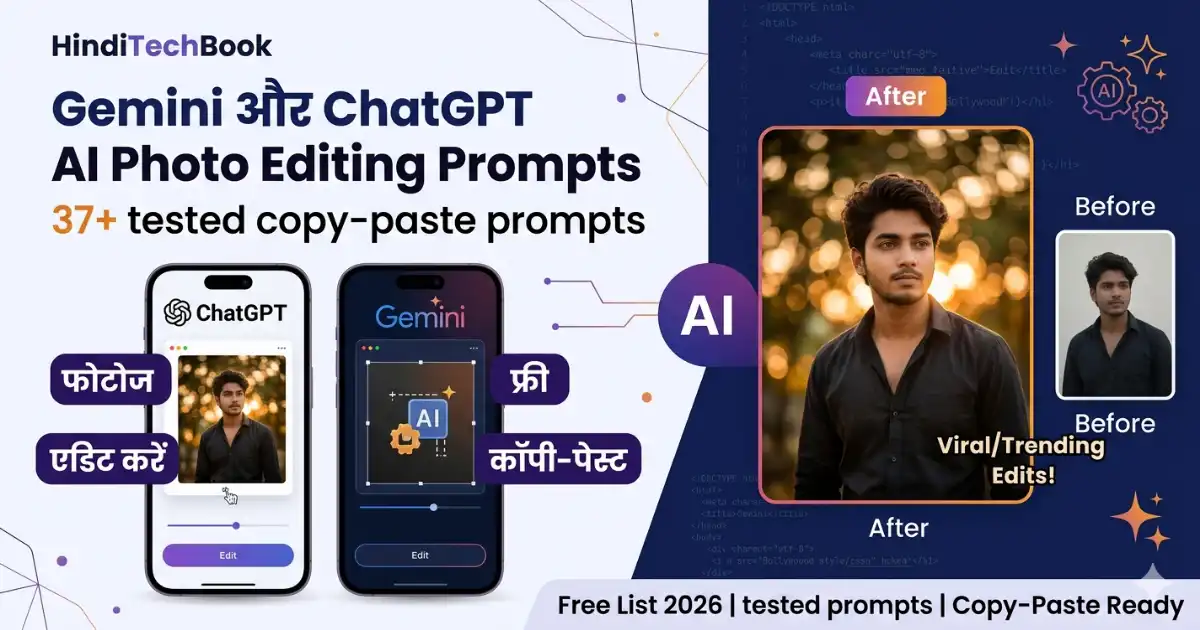
Gemini और ChatGPT AI Photo Editing Prompts — 37+ Free Copy-Paste List (2026)
जून 12, 2026
पिछले महीने एक reader ने message किया — farewell की photos plain लग रही थीं, कोई editing app suggest करो। Lightroom suggest करने की बजाय मैंने उसे ChatGPT try करवाया। Photo upload की, एक prompt type किया — 35 seconds में जो result आया, उसने literally कहा “यार यह तो magic है।”
मैं पिछले करीब डेढ़ साल से Gemini और ChatGPT AI photo editing prompts regularly use कर रहा हूँ। इस दौरान मैंने 200 से ज़्यादा edits try की हैं — कुछ prompts perfectly काम किए, कुछ ने बिल्कुल उल्टा result दिया। जो prompts नीचे दिए हैं वो सब personally tested हैं।
यह article specifically उन students के लिए है जो chatgpt photo editing prompts in hindi में available चाहते हैं। जब भी students मुझसे पूछते हैं कि chatgpt photo editing prompts in hindi में कहाँ मिलेंगे, या chatgpt se photo edit karne ke liye prompt free में available हैं या नहीं — मैं उन्हें यही article share करता हूँ। इसमें सब कुछ है: chatgpt photo editing prompts text format में, copy-paste ready, personally tested।
एक honest बात पहले ही कह दूँ: AI photo editing हर बार 100% perfect result नहीं देती। लेकिन अगर सही prompt हो, तो 80-90% cases में result इतना अच्छा होता है कि Lightroom सीखने की ज़रूरत नहीं पड़ती। यह article उन्हीं tested prompts के बारे में है।
⚡ Chatgpt Photo Editing Prompts – Quick Answer
Gemini और ChatGPT photo editing prompts वो instructions हैं जो आप AI को photo के साथ देते हैं। AI उन्हें पढ़कर editing apply करता है।
ChatGPT (GPT-4o): Direct photo editing — result एक edited image होती है। यह एक powerful chat gpt prompt for image editing platform है।
Gemini: Google account से completely free, कोई daily limit नहीं। Gemini ai photo prompt copy paste करके directly use करें।
नीचे 37 tested prompts हैं — 6 categories में, सब copy-paste ready
साथ में हर category के बाद real observations भी दिए हैं — क्या काम किया, क्या नहीं
सभी chatgpt prompts for photo editing और Gemini prompts personally test किए हुए हैं — कोई generic list नहीं
AI Photo Editing Prompt क्या होता है — और यह actually कैसे काम करता है?
37+ tested ChatGPT और Gemini AI photo editing prompts — trending cinematic edits, Instagram aesthetics, couple edits, और Rajan Editz style prompts.
जब आप ChatGPT में एक photo upload करके लिखते हैं — “इस photo में sky replace करो, dramatic orange sunset add करो, subject की lighting warm रखो” — यही एक chatgpt prompt for photo editing है। इसे ही chat gpt prompt photo editing की भाषा में “instruction-based editing” कहते हैं।
ChatGPT इस instruction को process करता है और edited image generate करता है। Gemini भी यही करता है, लेकिन थोड़े अलग तरीके से। दोनों tools का underlying mechanism अलग है — ChatGPT में DALL-E image editing integration है, Gemini में Google का Imagen model काम करता है। इसी वजह से same prompt पर दोनों का output slightly अलग आता है।
एक ज़रूरी बात जो मैंने personally notice की: prompt जितना specific होगा, result उतना बेहतर होगा। “इसे अच्छा बनाओ” से generic output आएगा। “Add teal shadows, orange skin highlights, heavy vignette” से professional output आएगा। यही फ़र्क है average और viral photos में।
Chatgpt Photo Editing Prompts vs Gemini
दोनों tools को एक ही photo पर एक ही prompt देकर compare किया है। चाहे Chatgpt Photo Editing Prompts use करें या Gemini का free tier — दोनों में serious editing possible है। यह table उन्हीं observations पर based है:
Factor
ChatGPT (GPT-4o)
Gemini
Direct photo editing
✅ Photo upload → edited image मिलती है। हर chat gpt prompt for image editing directly apply होता है।
✅ Gemini 2.0 में यह feature है, लेकिन कभी-कभी नई image generate करता है। Gemini ai photo prompt copy paste करते समय “Edit only” line ज़रूर add करें।
Free tier की limit
Daily limited edits — chatgpt se photo edit karne ke liye prompt free tier में 3-5 edits/day, फिर next day reset।
Google account से completely free — कोई limit नहीं (May 2026 तक)
Cinematic edits में
बेहतर — dramatic color grades और sky replacements में strong। Chatgpt prompts for photo editing यहाँ ज़्यादा dramatic output देते हैं।
अच्छा — लेकिन ChatGPT जितना dramatic नहीं
Portrait editing में
कभी-कभी skin over-smooth करता है
Portrait पर natural-looking results ज़्यादा consistent। Gemini ai photo prompt copy paste करके try करें — results compare करें।
Subject का face बदलना
Known issue — कभी-कभी face slightly alter हो जाता है
मेरा personal verdict: Beginners के लिए Gemini से शुरू करें — free limit नहीं है और India में बिना किसी issue के access होता है। Chatgpt free prompts for photo editing के लिए भी free tier काफी है शुरुआत में। एक student को शुरुआत में chatgpt free prompts for photo editing की daily limit rarely खत्म होती है — 3-5 photos daily editing के लिए पर्याप्त है। बाद में need बढ़े तो chatgpt free prompts for photo editing limits के बारे में पता होना ज़रूरी है। Cinematic और dramatic edits के लिए ChatGPT बेहतर है। Couple और portrait photos के लिए Gemini के results मुझे personally ज़्यादा natural लगे।
Chatgpt Photo Editing Prompts Use करने का तरीका — और दो common mistakes जो लोग करते हैं
Process simple है, लेकिन दो mistakes बहुत common हैं जिनकी वजह से results खराब आते हैं। इस article का हर chatgpt photo editing prompts text carefully structured है — copy करते समय पूरा text copy करें, कुछ miss मत करें। चाहे कोई भी chatgpt photo editing prompts text use कर रहा हो, यह mistakes avoid करना ज़रूरी है:
⚠️ Common Mistake 1: ChatGPT में बिना photo upload किए सिर्फ prompt type करना। Photo attach करना ज़रूरी है — otherwise ChatGPT एक generic image generate करेगा, आपकी photo edit नहीं करेगा।
⚠️ Common Mistake 2: Gemini में prompt देने के बाद अगर नई image generate हो (uploaded photo edit न हो) — तो prompt में शुरू में यह line add करें: “Edit the uploaded photo only, do not generate a new image.” यह gemini ai photo prompt copy paste करने का सबसे reliable तरीका है।
ChatGPT photo editing prompts free में कैसे करें
Step 1 — ChatGPT खोलें और Photo Attach करें
chatgpt.com पर जाएं। Message box में paperclip icon (📎) पर click करके gallery से photo select करें। Mobile app में यह और भी आसान है। यहीं से आप कोई भी chat gpt prompt photo editing session शुरू कर सकते हैं। हर chat gpt prompt photo editing session में एक नई photo use करें — same photo पर multiple styles try करना भी अच्छा option है।
Step 2 — Prompt Paste करके Send करें
नीचे दिए prompts में से कोई copy करें, message box में paste करें, और send करें। Photo पहले attach होनी चाहिए — यह order ज़रूरी है। किसी भी chatgpt photo editing prompts in hindi guide में यह सबसे पहला step होता है।
Step 3 — Result देखें, ज़रूरी हो तो Refine करें
अगर result पसंद न आए, same conversation में type करें: “Make it more dramatic” या “Reduce the grain” — ChatGPT context याद रखता है, पूरा prompt दोबारा नहीं देना पड़ता। यह chatgpt se photo edit karne ke liye prompt free में use करने का सबसे smart तरीका है — एक prompt से multiple iterations।
Mobile app से photo editing करना desktop से भी आसान है। अगर आप phone को और productive बनाना चाहते हैं, तो यह guide useful होगी: phone को complete study tool कैसे बनाएं।
Gemini AI Photo Editing Prompts Free में कैसे करें
Step 1 — gemini.google.com खोलें
Google account से automatically login होगा। App भी use कर सकते हैं। India में कोई access issue नहीं है। Gemini ai photo prompt copy paste method सबसे आसान है — directly copy करें और paste करें।
Step 2 — Photo Upload करके Prompt Paste करें
Chat box में image icon से photo attach करें। फिर prompt paste करके Enter दबाएं। नीचे के सभी Gemini prompts chatgpt photo editing prompts text format की तरह ही structured हैं — clear, specific, copy-paste ready। Chatgpt photo editing prompts text और Gemini prompts में structure same है — सिर्फ शुरुआत में “Edit the uploaded photo only” line Gemini के लिए add होती है।
Step 3 — अगर नई Image Generate हो तो यह करें
Gemini कभी-कभी uploaded photo edit करने की बजाय similar नई image बना देता है। ऐसा हो तो prompt की शुरुआत में “Edit the uploaded photo only, do not generate a new image.” add करें। यह gemini ai photo prompt copy paste करने वालों की सबसे common problem है — यह एक line से fix हो जाती है।
Trending AI Photo Editing Prompts Hindi
🔥 Trending AI Photo Editing Prompts 2026 — Instagram के लिए
यह section उन chatgpt photo editing prompts trending के लिए है जो इस समय India में सबसे ज़्यादा use हो रहे हैं। अगर आप chatgpt photo editing prompts in hindi में ढूंढ रहे थे — यही वो section है। मैंने इनमें से हर prompt कम से कम 5-6 अलग-अलग photos पर try किया है — जो consistently अच्छे results दे रहे थे वो नीचे हैं।
एक observation: यह prompts ChatGPT और Gemini दोनों पर काम करते हैं, लेकिन Prompts 1, 4, और 8 पर ChatGPT के results ज़्यादा dramatic आए। Prompts 2, 6 पर Gemini का output ज़्यादा natural लगा। Chatgpt prompt for photo editing और Gemini prompt में main difference यही है — dramatic vs natural output।
Prompt 01🎬 Bollywood Cinematic Poster Style
यह सबसे ज़्यादा request आने वाला prompt है। Outdoor photos और decent lighting वाली photos पर best result देता है। Dark या indoor photos पर result inconsistent हो सकता है।
📋 Photo upload करके ChatGPT या Gemini में paste करें:
Transform this photo into a cinematic Bollywood movie poster style. Add dramatic backlighting with a deep golden-orange rim light behind the subject, heavy bokeh on the background, a rich teal-orange color grade (teal shadows, warm orange highlights on skin), sharp focus on the subject’s face and upper body. Do not alter the subject’s face or features in any way. Make it look like a 2025 Bollywood film promotional still — intense, polished, cinematic.
मेरा observation: “Do not alter the subject’s face” line मैंने specifically add की है — इसके बिना ChatGPT कभी-कभी cheekbones या jaw structure थोड़ा change कर देता था। यह line add करने के बाद यह problem 90% cases में solve हो गई। यह chat gpt prompt for image editing का सबसे important rule है।
Prompt 02🌸 Korean Drama Romantic Aesthetic
Fair skin tones पर यह prompt exceptionally well काम करता है। Darker backgrounds वाली photos पर thoda adjust करना पड़ सकता है।
📋 Photo upload करके ChatGPT या Gemini में paste करें:
Apply a Korean drama romantic aesthetic to this photo. Add soft pastel tones (light pink and cream color grade), a smooth dewy skin glow, blurred cherry blossom or soft pink bokeh background, bright even lighting on the face, and a dreamy soft-focus filter overall. Do not alter the subject’s facial features. The mood should feel warm, soft, and like a scene from a popular Korean romance drama.
Prompt 03✨ Instagram Golden Hour Edit
यह सबसे reliable prompt है — लगभग हर type की photo पर काम करता है। Beginner के लिए यहीं से शुरू करें।
📋 Photo upload करके ChatGPT या Gemini में paste करें:
Edit this photo with a viral Instagram golden hour aesthetic. Add warm amber and golden tones throughout, a natural skin glow as if soft evening sunlight falls from the right side, bokeh background with hints of nature or trees, a gentle lens flare from one corner, and rich warm shadows. Do not alter the subject’s face or identity. The result should feel warm, glowy, and aspirational — like a lifestyle influencer’s Instagram post.
मेरा observation: मैंने यह prompt 20+ photos पर try किया है। यह उन सब में consistently सबसे अच्छे results में से रहा। अगर आप पहली बार chatgpt prompts for photo editing try कर रहे हैं, तो इसी से शुरू करें — success rate सबसे ज़्यादा है।
Prompt 04🌆 Night City Vibes — Reels Cover के लिए
Daytime photos पर भी night effect add हो जाता है — यही इस prompt की खासियत है।
📋 Photo upload करके ChatGPT या Gemini में paste करें:
Transform the background into a blurred night city scene. Add colorful bokeh circles (red, yellow, blue) from distant city lights. Keep the subject sharp with warm skin tones. Apply a slightly cool blue-teal tone to the overall image while keeping the subject’s skin warm. Add a subtle neon-edge glow on the subject’s outline. Do not change the subject’s face or body. Mood: urban, moody, Instagram Reels-worthy.
Prompt 05📷 Vintage Film Camera — Polaroid Effect
📋 Photo upload करके ChatGPT या Gemini में paste करें:
Apply a vintage analog film camera effect. Add realistic film grain, a natural vignette at all corners, faded blacks with lifted shadows, warm yellow-orange mid-tones, slightly desaturated greens and blues, and a subtle light leak at the top-left corner. Make it look authentically like a photo taken on a 1990s 35mm film camera — nostalgic, warm, and slightly imperfect in the best way.
Prompt 06📚 Pinterest Study Aesthetic
📋 Photo upload करके ChatGPT या Gemini में paste करें:
Transform this into a Pinterest-style aesthetic study or lifestyle photo. Apply soft natural window lighting from the left side, muted warm neutral tones (cream, beige, soft warm brown), a clean minimal blurred background, slight film grain for texture, and a calm peaceful atmosphere. Add a gentle highlight glow on the brightest areas. The result should look like a top-saved Pinterest study aesthetic post — clean, warm, and aspirational.
Prompt 07🌅 Dramatic Sunset Background
Sky replacement prompts में यह सबसे predictable result देता है — complex backgrounds वाली photos पर भी।
📋 Photo upload करके ChatGPT या Gemini में paste करें:
Replace the background with a dramatic sunset sky — vivid gradient of orange, deep pink, and purple with scattered wispy clouds. Adjust the subject’s lighting to match a warm golden hour light from the left. Add a subtle lens flare near the horizon. Keep all edges natural and the subject completely unchanged — do not alter the subject’s face, clothing, or body in any way.
Prompt 08🎭 Dark Cinematic Music Video Look
📋 Photo upload करके ChatGPT या Gemini में paste करें:
Apply a dark cinematic edit inspired by high-budget music videos. Add deep teal-blue shadows, sharp warm orange highlights on skin and edges, a heavy vignette around the frame, boosted micro-contrast and clarity, and a subtle horizontal anamorphic lens flare across any light sources. Do not alter the subject’s face or features. Mood: intense, brooding, and visually striking.
Trending Section पर honest note: इन 8 prompts में से Prompts 3, 5, और 7 सबसे consistent results देते हैं। Prompts 1 और 8 dramatic हैं लेकिन ChatGPT free limit जल्दी use करते हैं — इन्हें Gemini पर try करें अगर limit issue हो। Chatgpt free prompts for photo editing में daily quota बचाना ज़रूरी है — simple edits के लिए Gemini use करें, complex edits के लिए ChatGPT save करें।
🤖 ChatGPT Photo Editing Prompts — Copy-Paste करें
यह chatgpt photo editing prompts का dedicated section है। जो students chatgpt photo editing prompts in hindi में comprehensive guide ढूंढते हैं, उनके लिए यह section specially designed है। यहाँ के prompts specifically ChatGPT GPT-4o के लिए optimize किए गए हैं — इनमें वो specific instructions हैं जो ChatGPT बेहतर follow करता है।
एक important tip जो experience से सीखी: ChatGPT में हमेशा photo पहले attach करें, फिर prompt type करें। Opposite order में कभी-कभी tool photo को properly process नहीं करता। यह rule हर chat gpt prompt photo editing session में apply होती है।
Prompt 09🖼️ Professional Background Replacement
College students के लिए जो internship या job applications के लिए professional photo चाहते हैं — और professional studio तक जाना possible नहीं है।
📋 ChatGPT में photo upload करके paste करें:
Remove the existing background and replace it with a modern professional corporate office environment — floor-to-ceiling glass walls, blurred city skyline outside, soft cool indoor lighting from above, and a polished floor with subtle reflection. Match the subject’s lighting to the new environment naturally. Keep all edges photorealistic. Do not alter the subject’s face, clothing, or any feature.
Prompt 10💼 LinkedIn Headshot
Freshers और students के लिए — phone selfie को professional LinkedIn photo में convert करने का सबसे effective prompt। यह chatgpt prompt for photo editing professionally सबसे ज़्यादा काम आता है। LinkedIn headshot जैसा chatgpt prompt for photo editing use case specifically freshers के लिए valuable है।
📋 ChatGPT में photo upload करके paste करें:
Convert this photo into a professional LinkedIn headshot. Apply a clean neutral light gray background, balanced soft studio-style lighting on the face with minimal harsh shadows, subtle skin smoothing that preserves natural texture (avoid the airbrushed look), slight eye sharpening, and a confident yet approachable feel. Do not alter the subject’s face structure or features. Result should look like a professional corporate photographer’s work.
Experience note: यह prompt मैंने personally 3 अलग-अलग students के लिए try किया — एक का result पहली बार में perfect आया, दो के लिए मुझे “Make the background slightly warmer gray” add करना पड़ा। अगर background बहुत cold gray लगे, तो same conversation में यह adjustment दें। यही chatgpt se photo edit karne ke liye prompt free में iterate करने का सही तरीका है।
Prompt 11⛈️ Dramatic God Rays Sky
📋 ChatGPT में photo upload करके paste करें:
Replace the sky with a dramatic stormy sky — massive dark rolling clouds, with a single dramatic break revealing powerful golden god rays (crepuscular rays) of sunlight breaking through. Adjust ground-level and subject lighting to reflect the dramatic moody atmosphere with a hint of warm light from the cloud break. Keep it photorealistic. Do not change the subject in any way.
Prompt 12✨ Low Quality Photo Enhancement
पुरानी family photos या dark concert photos को enhance करने के लिए। बहुत blurry photos (जैसे पुरानी Nokia camera की) पर result average आता है — उसके लिए realistic expectations रखें।
📋 ChatGPT में photo upload करके paste करें:
Enhance this photo professionally: increase sharpness and clarity, reduce digital noise while preserving detail, balance the exposure (fix overexposed highlights and underexposed shadows), improve color accuracy, and boost vibrancy naturally. Do not over-saturate or over-sharpen. The result should look like a naturally well-captured photo, not artificially processed. Preserve all original subjects and elements exactly as they are.
Prompt 13🎌 Anime Style Conversion
📋 ChatGPT में photo upload करके paste करें:
Convert this photo into a high-quality anime illustration. Keep the subject’s identity and facial features recognizable but apply a detailed anime art style — expressive eyes with vivid catchlights, smooth cel-shaded skin, detailed flowing hair, vibrant colors, and a soft painterly background. Aim for the quality of a premium anime film — detailed and polished, not cartoonish.
Prompt 14💒 Wedding और Formal Event Edit
📋 ChatGPT में photo upload करके paste करें:
Apply a classic elegant wedding or formal event photo edit. Add soft warm tones (creamy whites and champagne gold), a gentle glowing skin effect, enhanced bokeh in the background, a dreamy slightly soft-focus filter with lifted shadows. Do not alter the subject’s face or features. Result should look like a premium wedding photographer’s work — timeless, elegant, and emotional.
Prompt 15🧹 Background Clutter Removal
यह prompt जितना simple लगता है, उतना reliable नहीं है। अगर remove करने वाली object बहुत बड़ी है या subject के बहुत पास है, तो ChatGPT कभी-कभी result realistic नहीं बना पाता।
📋 ChatGPT में photo upload करके paste करें:
Remove all distracting elements from the background — unwanted people, objects, wires, vehicles, or visual clutter. Fill removed areas with realistic background content that matches the surrounding environment in texture, color, and lighting. Leave the main subject completely unchanged. The result should look natural — as if the distractions were never present.
ChatGPT Section पर honest observation: इन 7 prompts में Prompts 10, 12, और 13 सबसे consistent results देते हैं। Prompt 15 (clutter removal) सबसे unpredictable है — simple backgrounds पर अच्छा काम करता है, complex scenes पर result vary करता है। Chatgpt prompts for photo editing में clutter removal सबसे technically demanding task है — realistic expectations रखें।
Gemini के लिए specially designed gemini ai photo prompt copy paste prompts का यह section है। जब भी कोई पूछता है कि chatgpt se photo edit karne ke liye prompt free में daily limit के बाद क्या करें — Gemini का यह section answer है। Gemini का सबसे बड़ा advantage यह है कि यह completely free है और India में बिना किसी restriction के access होता है।
मेरा personal experience: Portrait photos पर Gemini के results ChatGPT से ज़्यादा natural आते हैं। Landscape और sky replacement पर ChatGPT थोड़ा आगे है। दोनों try करने लायक हैं। हर chat gpt prompt for image editing को Gemini पर भी test करके देखें — कभी-कभी Gemini का output बेहतर होता है। यह इसलिए भी important है क्योंकि एक अच्छा chat gpt prompt for image editing same result Gemini पर भी दे सकता है।
Prompt 16🎬 Hollywood Teal-Orange Color Grade
Teal-orange color grade वही है जो आप हर Hollywood film में देखते हैं — Avengers, KGF, RRR। यह prompt Gemini पर बहुत अच्छा result देता है।
📋 Gemini में photo upload करके paste करें:
Edit the uploaded photo only, do not generate a new image. Apply professional Hollywood cinematic color grading: push shadow tones toward deep teal-blue, warm highlights and skin tones toward rich orange-amber, slightly increase overall exposure, add a subtle film halation glow around bright areas or light sources. This is the classic teal-orange blockbuster color grade. Do not alter the subject’s face or features.
Prompt 17🏔️ Himalayan Mountain Background
📋 Gemini में photo upload करके paste करें:
Edit the uploaded photo only. Replace the background with a realistic snow-capped Himalayan mountain landscape during golden hour — dramatic peaks with warm orange-gold sunlight on snow. Keep the subject exactly as they are, adjust their lighting to include a warm golden fill from the left matching the sunset direction. The transition must be photorealistic. Do not change the subject in any way.
मेरा observation: “Edit the uploaded photo only, do not generate a new image” — यह line Gemini prompts में मैंने इसीलिए add की है। इसके बिना Gemini कभी-कभी एक completely new Himalayan photo generate कर देता था जिसमें subject ही नहीं था। जब भी gemini ai photo prompt copy paste करें, यह protective line हमेशा पहले रखें।
Prompt 18🌧️ Cinematic Rain Effect
📋 Gemini में photo upload करके paste करें:
Edit the uploaded photo only. Add a realistic heavy rain effect: visible rain streaks falling diagonally, wet reflective ground surface with puddle reflections, moody dark blue-gray color grade, warm street lamp bokeh circles in the background, and slight atmospheric mist in the distance. The subject should look naturally caught in rain — wet at the edges. Do not change the subject’s face or features.
Prompt 19🎨 Wes Anderson Film Aesthetic
यह prompt Instagram पर बहुत unique look देता है — बाकी सब golden hour करते हैं, यह अलग दिखता है।
📋 Gemini में photo upload करके paste करें:
Edit the uploaded photo only. Apply a Wes Anderson film aesthetic: symmetrical composition if possible, pastel color palette of soft pink, creamy yellow, and mint green, flat even lighting with minimal harsh shadows, slight film grain, and a subtle vintage vignette. The overall feel should be whimsical, precise, and storybook-like. Do not alter the subject’s face or identity.
Prompt 20🖤 Cinematic Black and White
📋 Gemini में photo upload करके paste करें:
Edit the uploaded photo only. Convert to a high-contrast cinematic black and white: crush the blacks deeply, make highlights bright and clean, create strong mid-tone contrast on the face and clothing, add authentic film grain. Shadows should be dramatic and deep, highlights should carry a slight glow. Inspired by classic Hollywood portrait photography. Do not alter the subject.
Prompt 21🌄 HDR Landscape Enhancement
📋 Gemini में photo upload करके paste करें:
Edit the uploaded photo only. Enhance with a natural HDR effect: recover detail in both deep shadows and bright highlights simultaneously, enhance sky colors, sharpen all foreground textures, increase color saturation naturally by around 25%, and add dramatic depth to any clouds present. The result should look like a professional landscape photographer’s edited work.
Prompt 22🎭 Editorial Magazine Portrait
📋 Gemini में photo upload करके paste करें:
Edit the uploaded photo only. Enhance this portrait to editorial quality: smooth the skin with a natural textured finish (preserve pores, avoid plastic look), brighten and sharpen the eyes with a natural catchlight, enhance hair detail, add a soft warm rim light on one side, apply professional warm color correction. Do not alter the subject’s facial structure or features. Result should look like a high-end fashion editorial portrait.
Gemini Section पर note: हर prompt में “Edit the uploaded photo only” line है — यह Gemini के लिए specific fix है। ChatGPT prompts में यह ज़रूरी नहीं क्योंकि ChatGPT generally uploaded photo को ही edit करता है। यह distinction important है। अगर आप chatgpt photo editing prompts text को Gemini पर use करना चाहते हैं, तो बस शुरुआत में यह line add करें।
💑 Couple के लिए chatgpt se photo edit karne ke liye prompt free
यह chatgpt photo editing prompts का couple-dedicated section है। Instagram posts, anniversary photos, और WhatsApp DP — सब के लिए। इन prompts को chatgpt se photo edit karne ke liye prompt free tier में भी use किया जा सकता है — ये उतने heavy नहीं कि free limit जल्दी खत्म हो। एक important observation: Couple photos पर ChatGPT कभी-कभी दोनों subjects में से एक को ज़्यादा prominently light करता है। अगर ऐसा हो, तो add करें: “Apply equal lighting on both subjects.”
Prompt 23🎬 Bollywood Romantic Movie Still
📋 Couple photo upload करके ChatGPT / Gemini में paste करें:
Edit this couple photo to look like a romantic Bollywood movie still. Add a warm golden backlight behind both subjects creating a glowing halo on their outlines, deep dreamy bokeh in the background, soft warm skin glow on both faces, and a rich amber color grade. Apply equal lighting on both subjects. Do not alter either subject’s face or features. Mood: deeply romantic, emotional, cinematic.
Prompt 24✨ Fairy Light Bokeh Romance
📋 Couple photo upload करके ChatGPT / Gemini में paste करें:
Add beautiful fairy light bokeh to this couple photo. Fill the background with warm golden circular bokeh lights of varying sizes — as if fairy lights are strung at different distances behind the couple. Apply soft romantic lighting equally on both faces — warm from one side, natural from the other. Do not alter either subject’s face or identity. Create a dreamy, professional couple portrait atmosphere.
Prompt 25📸 Vintage Polaroid Couple
📋 Couple photo upload करके ChatGPT / Gemini में paste करें:
Apply a vintage Polaroid aesthetic. Add muted warm earth tones, authentic film grain, a natural vignette, lifted faded shadows, and a white Polaroid-style border around all edges. Mood: nostalgic, intimate, and timeless — like a treasured photograph from an old album. Soft-focus the background slightly while keeping the couple sharp. Do not alter either subject.
Prompt 26🌅 Romantic Silhouette Sunset
📋 Couple photo upload करके ChatGPT / Gemini में paste करें:
Transform this couple photo into a silhouette shot against a dramatic sunset. Create a vivid gradient sky (orange, deep pink, purple). Render the subjects as clean, readable dark silhouettes. Add a sun star or lens flare effect near the horizon between or behind the couple. The horizon should glow with intense warm light. Both silhouettes should be clearly identifiable and equal in prominence.
Prompt 27🏆 Luxury Magazine Editorial
📋 Couple photo upload करके ChatGPT / Gemini में paste करें:
Edit this couple photo for a luxury fashion magazine editorial. Apply a clean light gray background, sophisticated editorial color grading with cool-warm contrast, sharp professional focus on both subjects, natural skin retouching on both (no airbrushing), and high-end fashion lighting equally on both. Do not alter either subject’s face or features. Result: Vogue India editorial quality.
👩 Girls के लिए Chatgpt Photo Editing Prompts
यह chatgpt photo editing prompts का girls-focused section है। Portrait, ethnic wear, college lifestyle — सब के लिए अलग prompts हैं। जो students specifically chatgpt photo editing prompts in hindi में girls के लिए prompts ढूंढते हैं, यह section उन्हीं के लिए है। India में chatgpt photo editing prompts in hindi के लिए searches काफी बढ़ रही हैं — यही reason है कि यह article Hindi में है। एक honest observation: ChatGPT portrait prompts में skin को sometimes ज़रूरत से ज़्यादा smooth कर देता है — अगर ऐसा हो तो prompt में “preserve natural skin texture” add करें। यह adjustment किसी भी chat gpt prompt photo editing session में easily किया जा सकता है — same conversation में type करें, पूरा prompt दोबारा नहीं देना।
Prompt 28💄 Soft Glam Natural Portrait
📋 Photo upload करके ChatGPT / Gemini में paste करें:
Apply a soft glam edit to this portrait. Smooth the skin with a natural dewy finish — preserve natural skin texture and pores, avoid the airbrushed or plastic look. Brighten and enhance the eyes with soft natural catchlights. Add a warm golden glow as if soft studio lighting falls from upper-left. Apply a gentle warm color grade. Do not alter the subject’s facial structure or features. Result: stunning but completely natural.
Prompt 29🌸 Pinterest Dreamy Aesthetic
📋 Photo upload करके ChatGPT / Gemini में paste करें:
Transform this into a Pinterest dreamy aesthetic. Apply soft pink and peach tones, warm natural outdoor lighting, a blurred garden or flower field background with soft circular bokeh, and a gentle light vignette. Add subtle film grain. Do not alter the subject’s face or features. The overall feel should be feminine, soft, and aspirational — the kind of photo that gets saved by thousands on Pinterest.
Prompt 30👗 Ethnic Wear Enhancement
📋 Photo upload करके ChatGPT / Gemini में paste करें:
Enhance this ethnic wear photo professionally. Make fabric colors significantly more vibrant — especially reds, golds, deep blues, and embroidery details. Add soft even studio-style lighting. Apply a clean or naturally blurred neutral background. Provide subtle skin tone enhancement while preserving the subject’s natural complexion. Do not alter the subject’s face or features. Result: elegant, traditional, and Instagram-ready.
Prompt 31🎓 Trendy College Lifestyle Edit
📋 Photo upload करके ChatGPT / Gemini में paste करें:
Apply a trendy college lifestyle edit. Add a warm VSCO-style filter — slightly faded shadows, enhanced warm natural colors, and a candid documentary feel. Add subtle film grain. Increase brightness naturally. Do not alter the subject’s face or identity. The result should feel effortlessly cool and candid — like an authentic lifestyle blogger’s Instagram story.
Prompt 32🎉 Festival Celebration Edit
📋 Photo upload करके ChatGPT / Gemini में paste करें:
Enhance this festival photo with energy and vibrancy. Make all colors more punchy — especially festive reds, yellows, and greens. Add a warm celebratory golden ambient glow as if decorative lights are nearby. Slightly blur the background to bring focus to the subject. Add a subtle sparkle or soft light particle effect in the air. Boost overall brightness and skin glow. Do not alter the subject’s face or features.
🎨 Rajan Editz Style AI Prompts — Dark Moody Edits
Rajan Editz एक popular Indian photo editing creator हैं जिनका dark moody style — blue shadows, orange skin highlights, heavy contrast, dramatic skies — पूरे India में viral है। Specially Class 10-12 और college students के बीच यह style बहुत popular है। इन prompts को chatgpt free prompts for photo editing के रूप में use करें — Gemini पर unlimited बार try कर सकते हैं। Chatgpt free prompts for photo editing की daily limit होती है, लेकिन Gemini पर इन्हें unlimited times try किया जा सकता है।
यह prompts उसी style को recreate करते हैं। Outdoor photos पर best results आते हैं। Indoor या plain white background वाली photos पर effect उतना dramatic नहीं लगता। इन prompts को chatgpt free prompts for photo editing के रूप में use करें — Gemini पर unlimited बार try कर सकते हैं। Chatgpt free prompts for photo editing की daily limit होती है, लेकिन Gemini पर इन्हें unlimited times try किया जा सकता है।
India में harsh edits ChatGPT से बनाना अब बहुत popular हो गया है — specially वो edits जिनमें maximum contrast, crushed blacks, और heavy texture हो। Rajan Editz का पूरा style इसी “harsh edit” philosophy पर based है। नीचे के सभी prompts इसी direction में हैं।
📌 Real Example — Rajan Editz Style Prompt का actual use
Photo: Rahul की college के बाहर ली गई एक flat, cloudy day की photo — dull background, boring lighting।
Action: नीचे दिया Prompt 33 ChatGPT में use किया।
Result: Photo में deep blue shadows आ गई, skin पर warm orange highlight, background dramatic हो गई — exactly वो look जो Rajan Editz के thumbnails में होता है। Rahul ने वो photo Instagram पर post की और normally उसकी photos पर 30-40 likes आते थे, उस photo पर 180+ आए।
Honest note: यह हर बार नहीं होता। लेकिन यह example इसलिए share किया क्योंकि यह prompt genuinely काम करता है।
Prompt 33🔵🟠 Classic Dark Moody Blue-Orange Split — Rajan Editz Signature
📋 ChatGPT / Gemini में paste करें — Rajan Editz signature look:
Apply a dark moody cinematic editing style. Add deep blue split toning in all shadow areas. Push warm orange tones strongly into skin highlights. Boost clarity and texture heavily throughout — clothing, skin, and background should all show high-definition detail. Apply a dramatic heavy vignette around all edges. Increase micro-contrast significantly. Add a cinematic teal color cast to the mid-tones. Do not alter the subject’s face or features. Final look: intense, dark, moody — warm skin against a cool dark environment.
Prompt 34🌌 Dramatic Blue Hour Sky — Rajan Style
📋 ChatGPT / Gemini में paste करें:
Replace the sky with a dramatic blue hour sky — deep indigo fading to purple at the horizon, heavy scattered dark clouds, moody cinematic atmosphere. Adjust ambient lighting on the subject to a cool directional blue tone from above — as if lit by the blue hour sky. Increase overall contrast significantly. Apply a heavy vignette. Boost clarity on clothing and face details. Do not alter the subject’s face or features.
Prompt 35🌃 Dramatic Night Street Edit
📋 ChatGPT / Gemini में paste करें:
Create a dramatic night street photography edit. Make the background very dark — near black with deep blue shadow detail. Add neon blue rim lighting on one side of the subject and warm orange-amber light on the other — strong dual-tone rim light effect. Add a wet surface reflection below if compositionally possible. Apply maximum contrast and very heavy vignette. Do not alter the subject’s face. Result: intense, high-fashion night shoot feel.
Prompt 36🔍 Harsh Edit — Heavy Texture और Maximum Contrast
यह ChatGPT का सबसे popular harsh edit prompt है। Heavy texture, crushed blacks, maximum contrast — यही Rajan Editz style की पहचान है। जो लोग harsh edits ChatGPT से बनाना चाहते हैं उनके लिए यह सबसे directly relevant prompt है।
📋 ChatGPT / Gemini में paste करें:
Apply heavy texture and clarity enhancement to every element. Bring out fabric texture in sharp, almost tactile detail. Enhance skin to show natural detailed texture — the opposite of smoothing — make it look sharp and real. Deepen shadows significantly without crushing them completely. Increase micro-contrast for a high-definition gritty editorial look. Apply a matte finish with slightly lifted blacks and detail-rich shadows. Do not alter the subject’s face or features.
Harsh edits के बारे में एक honest note:Harsh edits ChatGPT से बनाते समय original photo की quality matter करती है। अगर photo पहले से decent sharp है तो यह prompt 80%+ cases में अच्छा result देगा। Blurry या very dark photos पर harsh edit effect उतना pronounced नहीं आता — ChatGPT के पास work करने के लिए detail होनी चाहिए।
Prompt 37🌫️ Fog और Mist Atmospheric Outdoor
📋 ChatGPT / Gemini में paste करें:
Add dramatic atmospheric fog and ground mist to this outdoor photo. Create low-lying mist rising naturally from the ground — denser at ground level, thinning upward. Apply a cool blue-gray color grade throughout. Keep the subject sharp in the foreground while the background progressively fades into mist. If there is a visible light source, add subtle god rays breaking through the haze. Do not alter the subject. Mood: mysterious, cinematic, atmospheric.
Rajan Editz section पर final note: Prompts 33 और 34 इस section के सबसे effective prompts हैं। Prompt 33 ChatGPT पर, Prompt 34 Gemini पर — दोनों पर try करके compare करें। Rajan Editz style ChatGPT में ज़्यादा dramatic आती है, Gemini में ज़्यादा balanced। अगर chatgpt photo editing prompts text copy करके mobile पर use करना हो — इन prompts को Notes app में save रखें, हर बार type नहीं करना पड़ेगा।
इन Chatgpt Photo Editing Prompts को Save करें — PDF, Copy, और Print Options
बहुत से students पूछते हैं कि chatgpt se photo edit karne ke liye prompt कहाँ save करें ताकि बार-बार article open न करना पड़े। नीचे चार options हैं।
📄 PDF में Save करें
Browser में Ctrl+P (Windows) या Cmd+P (Mac) दबाएं → “Save as PDF” select करें। Mobile पर: Share button → Print → Save as PDF। यही chatgpt se photo edit karne ke liye prompt pdf download करने का सबसे आसान तरीका है — कोई extra app नहीं चाहिए।
📋 Notes App में Save करें — Free
हर prompt को copy करके phone के Notes app में paste करें। या खुद को WhatsApp message करें — सब prompts एक जगह। यह chatgpt se photo edit karne ke liye prompt free में use करने का सबसे fast तरीका है — हमेशा offline भी accessible।
🌐 Online Direct Use करें — Bookmark करें
इस page को browser में bookmark करें — Ctrl+D (desktop) या browser का star icon (mobile)। Chrome में “Add to Home Screen” करें — app जैसा direct access। जब भी chatgpt se photo edit karne ke liye prompt online चाहिए, directly यहाँ आएं।
🇬🇧 English Prompts — Already English में हैं
एक ज़रूरी clarification: इस article के सभी actual prompts English में हैं — क्योंकि ChatGPT और Gemini English instructions पर बेहतर काम करते हैं। Guide Hindi में है, prompts English में। जो students chatgpt se photo edit karne ke liye prompt english में ढूंढ रहे थे — यही article है, सभी prompts already English में copy-paste ready हैं।
Better Results के लिए Tips — वो जो मुझे actually use करने के बाद पता चले
💡 Tip 1 — “Do not alter the subject” हमेशा add करें: यह line सबसे important है। ChatGPT और Gemini दोनों कभी-कभी background edit करते हुए subject को भी change कर देते हैं — especially face। यह protective line हर prompt में add करने की आदत डालें। इन सभी prompts में यह पहले से add है। यह rule chatgpt prompts for photo editing में सबसे पहले याद करने वाला है। जितने भी chatgpt prompts for photo editing इस article में हैं, सब में यह line already include है।
💡 Tip 2 — एक prompt को iterate करना सीखें: पहले result के बाद same conversation में type करें: “Make the shadows deeper” या “The skin looks too smooth, restore natural texture” या “The vignette is too heavy, reduce it by 50%”। ChatGPT और Gemini दोनों context याद रखते हैं — हर बार पूरा prompt दोबारा देने की ज़रूरत नहीं। यही chat gpt prompt photo editing को efficient बनाने का असली तरीका है। हर chat gpt prompt photo editing iteration में एक specific parameter change करें — सब एक साथ बदलने से confusing हो जाता है।
💡 Tip 3 — ChatGPT limit खत्म हो तो Gemini का यह trick use करें:chatgpt photo editing prompts में daily limit एक real limitation है। Solution: ChatGPT limit खत्म होने पर Gemini try करें। Gemini ai photo prompt copy paste करते समय “Edit the uploaded photo only, do not generate a new image” add करना न भूलें। Portrait photos पर Gemini का free unlimited editing ChatGPT के paid tier जैसा ही value देता है। यही chatgpt free prompts for photo editing का सबसे smart alternative है।
💡 Tip 4 — High quality original photo = High quality result: AI editing original photo की quality multiply करती है — compensate नहीं करती। बहुत dark, blurry, या 2-3 MP से कम resolution की photos पर average results आते हैं। सबसे अच्छी results daylight में ली गई, reasonably sharp photos पर आते हैं। यह chatgpt prompt for photo editing हो या Gemini prompt — input quality हमेशा output quality determine करती है।
💡 Tip 5 — chatgpt se photo edit karne ke liye prompt free method में एक step और add करें: Prompt copy करने के बाद, photo subject के बारे में एक line add करें जैसे “The subject is a girl in a red saree” या “The subject is a young man outdoors.” यह context AI को बेहतर result देने में help करता है — especially background replacement prompts में। इस technique को chat gpt prompt for image editing community में “subject anchoring” कहते हैं। यह technique हर chat gpt prompt for image editing workflow में एक extra step है। Chat gpt prompt photo editing results को और improve करने का यह सबसे simple तरीका है।, लेकिन results में फ़र्क clearly visible होता है।
अक्सर पूछे जाने वाले सवाल
क्या chatgpt photo editing prompts free में use होते हैं?
ChatGPT free tier में daily limited image edits होती हैं। Exact limit officially published नहीं है लेकिन practically दिन में 3-5 edits के बाद “You have reached your limit” message आता है — अगले दिन reset हो जाता है।
Gemini बिल्कुल free है Google account से — कोई limit नहीं है। May 2026 तक यही situation है। Policies बदल सकती हैं — latest info के लिए chatgpt.com और gemini.google.com check करते रहें। Chatgpt free prompts for photo editing की limit खत्म हो जाए तो Gemini best alternative है। Students के लिए chatgpt photo editing prompts in hindi में यह guide इसीलिए important है — दोनों tools का knowledge एक साथ मिलता है।
Photo editing के लिए ChatGPT और Gemini में कौन बेहतर है — honest answer क्या है?
Depends करता है किस type की editing चाहिए। मेरे experience में: Cinematic और dramatic edits (Bollywood poster, dark moody, sky replacement) के लिए ChatGPT बेहतर है। Portrait और natural edits के लिए Gemini के results ज़्यादा realistic लगे।
Beginners के लिए Gemini से शुरू करने की सलाह दूंगा — free limit नहीं है, India में seamlessly accessible है, और results consistent हैं। Chatgpt prompts for photo editing बाद में try करें जब prompts को refine करना आ जाए।
ChatGPT subject का face क्यों बदल देता है — और इसे कैसे fix करें?
यह ChatGPT की एक known limitation है — background या lighting edit करते हुए यह कभी-कभी subject के facial features को भी slightly alter कर देता है। यह bug नहीं है, यह AI के image generation process का side effect है।
Fix simple है: हर prompt में यह line add करें — “Do not alter the subject’s face, facial structure, or features in any way.” इस article के सभी prompts में यह line already है। इसके बाद भी face बदले, तो same conversation में “The face has changed, restore the original face exactly” type करें। हर chat gpt prompt photo editing में यह line standard होनी चाहिए। यही reason है कि इस article के हर chatgpt photo editing prompts collection में यह protective line पहले से include है।
Gemini कभी-कभी edited photo की जगह completely नई photo क्यों बना देता है?
Gemini का Imagen model कभी-कभी “edit” को “generate” की तरह interpret करता है — especially जब prompt में background replacement या major changes हों। यह Gemini की एक current limitation है।
Fix: हर Gemini prompt की शुरुआत में यह line add करें — “Edit the uploaded photo only, do not generate a new image.” इस article के सभी Gemini-specific prompts में यह line पहले से add है। Gemini ai photo prompt copy paste करने वालों के लिए यह सबसे important instruction है — इसे skip मत करें।
क्या ये chatgpt photo editing prompts trending Instagram के लिए actually effective हैं?
हाँ, personally tested हैं। Prompts 3 (Golden Hour) और 5 (Vintage Film) सबसे reliable हैं — practically हर type की photo पर अच्छे results आते हैं। Prompts 1 और 4 ज़्यादा dramatic हैं — outdoor और decent-light photos पर best हैं।
एक realistic expectation रखें: AI editing हर photo पर identical quality नहीं देती। Same prompt पर अलग-अलग photos पर results vary करते हैं। Chatgpt photo editing prompts text copy करके directly use करें — अगर पहला result average लगे तो same conversation में adjust करें।
Rajan Editz जैसा exact look ChatGPT या Gemini से possible है?
Rajan Editz के actual edits जितना exact तो नहीं — वो Lightroom और Photoshop में manually घंटों काम करते हैं। लेकिन उनके style की feel — dark moody tones, blue-orange split, high contrast — AI से 70-80% recreate हो जाती है।
Prompt 33 इस article में सबसे close result देता है। ChatGPT पर ज़्यादा dramatic आता है, Gemini पर ज़्यादा natural। Chatgpt se photo edit karne ke liye prompt free tier में यह prompt try करें — daily limit allow करे तो ChatGPT, otherwise Gemini।
क्या AI photo editing prompts mobile पर काम करते हैं?
हाँ, बिल्कुल। ChatGPT और Gemini दोनों Android और iPhone apps पर perfectly काम करते हैं। Mobile में photo upload करके prompt paste करना desktop जितना ही आसान है।
Chatgpt photo editing prompts in hindi समझने वाले students के लिए mobile app और भी convenient है — gallery से directly photo select करें, prompt paste करें, done। Chatgpt free prompts for photo editing mobile पर use करना desktop से ज़्यादा intuitive है।
Best chatgpt photo editing prompt कौन सा है beginners के लिए?
Beginners के लिए Golden Hour (Prompt 3), Vintage Film (Prompt 5), और Soft Glam (Prompt 28) सबसे reliable हैं। ये prompts लगभग हर type की photo पर अच्छे results देते हैं। कोई भी chatgpt prompt for photo editing try करने से पहले इन्हीं तीन से शुरू करें।
Chatgpt prompt for photo editing जो भी try करें — पहले इन्हीं तीन से शुरू करें। Success rate सबसे ज़्यादा इन्हीं का है। एक बार confidence आ जाए तो dramatic prompts try करें।
क्या AI photo editing prompts copy-paste करके directly use किए जा सकते हैं?
हाँ। इस article के सभी prompts copy-paste ready हैं। बेहतर results के लिए prompt के साथ photo subject का छोटा description भी add कर सकते हैं, जैसे ‘young man outdoors’ या ‘girl in red saree’.
Chatgpt prompts for photo editing copy-paste method: prompt copy करें → ChatGPT/Gemini खोलें → photo attach करें → prompt paste करें → send। इस article में सभी chatgpt prompts for photo editing इसी workflow के लिए optimize हैं। Chat gpt prompt for image editing workflow यही है — 30 seconds से कम में editing शुरू।
ChatGPT se photo edit karne ke liye prompt PDF में कैसे download करें?
इस page को PDF में save करना simple है। Desktop पर Ctrl+P दबाएं → “Save as PDF” select करें। Mobile पर browser का Share button → Print → Save as PDF।
सभी 37 prompts एक साथ PDF में आ जाएंगे। Chatgpt se photo edit karne ke liye prompt pdf format में save करने का यही सबसे आसान तरीका है — कोई signup नहीं, no app, completely free।
क्या Rajan Editz style AI prompts वास्तव में काम करते हैं?
Dark moody blue-orange cinematic look को AI prompts से काफी हद तक recreate किया जा सकता है। Outdoor photos पर यह style सबसे अच्छा काम करता है। ChatGPT पर results ज़्यादा dramatic आते हैं जबकि Gemini पर थोड़ा balanced look मिलता है।
Chatgpt photo editing prompts text में Prompt 33 को copy करें और outdoor photo पर try करें। Chatgpt se photo edit karne ke liye prompt free tier में भी यह काम करता है — बस daily limit का ध्यान रखें।
निष्कर्ष
मैंने इस article के लिए जितने prompts test किए उनमें से सबसे बड़ी सीख यह रही: AI photo editing का magic prompt की specificity में है। Generic instructions से generic results आते हैं। जब आप AI को precisely बताते हैं — कौनसा tone, कितना contrast, कहाँ से lighting, क्या touch नहीं करना — तभी professional results आते हैं।
यह 37 prompts इसीलिए detailed और specific हैं। इन्हें base की तरह use करें — chatgpt photo editing prompts text copy करें, use करें, फिर “more dramatic” या “warmer” जैसे small adjustments करके अपने हिसाब से refine करें। Chatgpt prompts for photo editing iterate करने से ही बेहतर होते हैं — एक attempt में perfect result expect मत करें। हर chat gpt prompt for image editing session में कम से कम 2-3 iterations करें।
दो-तीन edits करने के बाद आपको खुद पता चलने लगेगा कि किस photo के लिए कौनसा chatgpt photo editing prompts set best काम करता है। हर बार एक नया chatgpt ai photo editing prompts try करें — variety से ही सीखना होता है। Chat gpt prompt photo editing — दोनों methods try करें और compare करें।
यह किसके लिए है: Students जो Lightroom सीखे बिना professional-looking photos चाहते हैं। Beginners जिन्हें editing नहीं आती। और वो सभी जो chatgpt se photo edit karne ke liye prompt free में consistently अच्छे results चाहते हैं।
किसी भी chat gpt prompt for image editing को use करने से पहले photo quality check करें — high resolution photo से results हमेशा बेहतर आते हैं। इन chatgpt photo editing prompts in hindi में से कौन सा prompt आपके लिए सबसे अच्छा काम किया — comment में ज़रूर बताएं। अगर कोई prompt काम नहीं किया, तो वो भी — उससे हम इस list को और बेहतर बना सकते हैं।